

Device mockups
A 3D iPhone and Android mockup generator
Drop your app screen into a real 3D device model, turn it to any angle, and export it at the exact size the App Store or Google Play asks for. No flat PNG frames.
Real 3D models, not flat frames
Every device is a real 3D model on the canvas. Your screenshot is mapped to its screen, so it stays correctly placed at every angle, from straight on to top-down.
| Device | Finishes |
|---|---|
| iPhone 17 | Lavender, Mint, Sky Blue, Starlight |
| iPhone 17 Pro Max | Cosmic Orange, Deep Blue, Silver |
| iPhone 16 | Black, Pink, Teal |
| iPhone 15 | Black, Blue, Green, Pink |
| iPad Pro 13" | Silver, Space Black |
| iPad Air 11" | Blue, Purple, Space Gray, Starlight |
| Apple Watch Ultra 3 | Black, Natural |
| Google Pixel 10 Pro | Jade, Moonstone, Obsidian, Porcelain |
| Google Pixel Watch 4 | Moonstone, Obsidian |
| Samsung Galaxy S26 | Pink Gold |
| Samsung Galaxy S26 Ultra | Pink Gold |
| Samsung Galaxy A57 | One finish |
| Samsung Galaxy Tab S10+ | Moonstone Gray, Platinum Silver |
| MacBook Pro M4 | Silver, Black, Dark Gray Blue |
Turn it to any angle
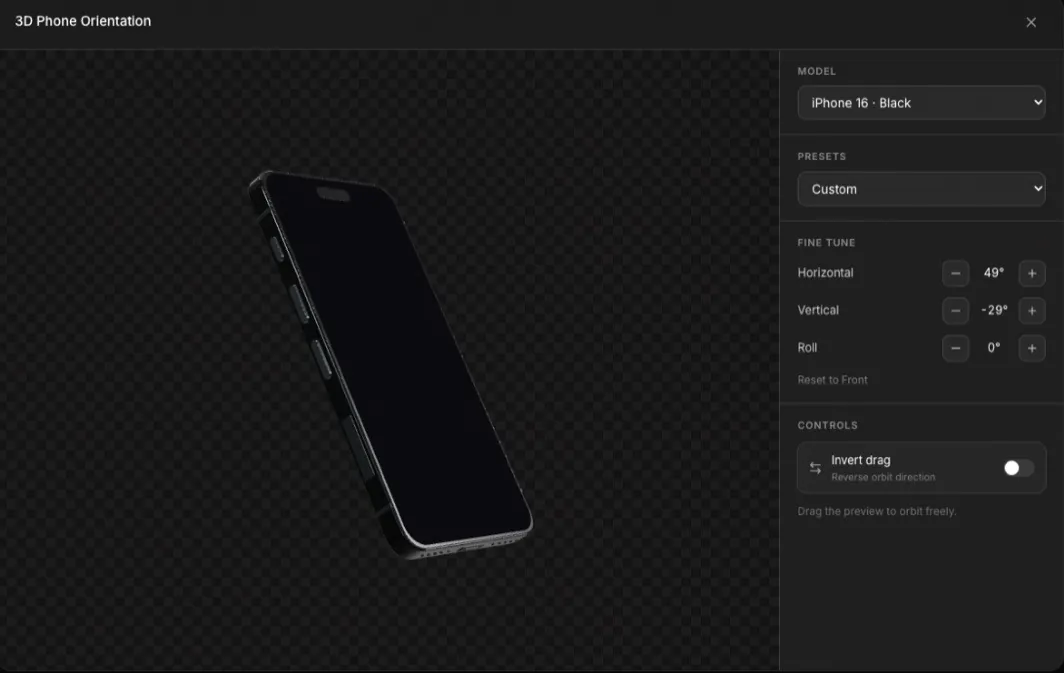
Pick a preset such as Front, Front ¾ Right, Hero Right or Flat / Top-down, drag the device to spin it, or type the exact horizontal, vertical and roll angle a degree at a time.
Use your own app screens
Drop in a screenshot of your app and it appears on the device's screen. Each language can show its own screenshot, so a localized listing shows a localized app.
MacBook and browser windows for desktop apps
For a Mac App Store listing or a landing-page hero, use the MacBook Pro model, or wrap any page in a Safari or Chrome window for Mac and Windows, in light or dark.
Export at the exact store size
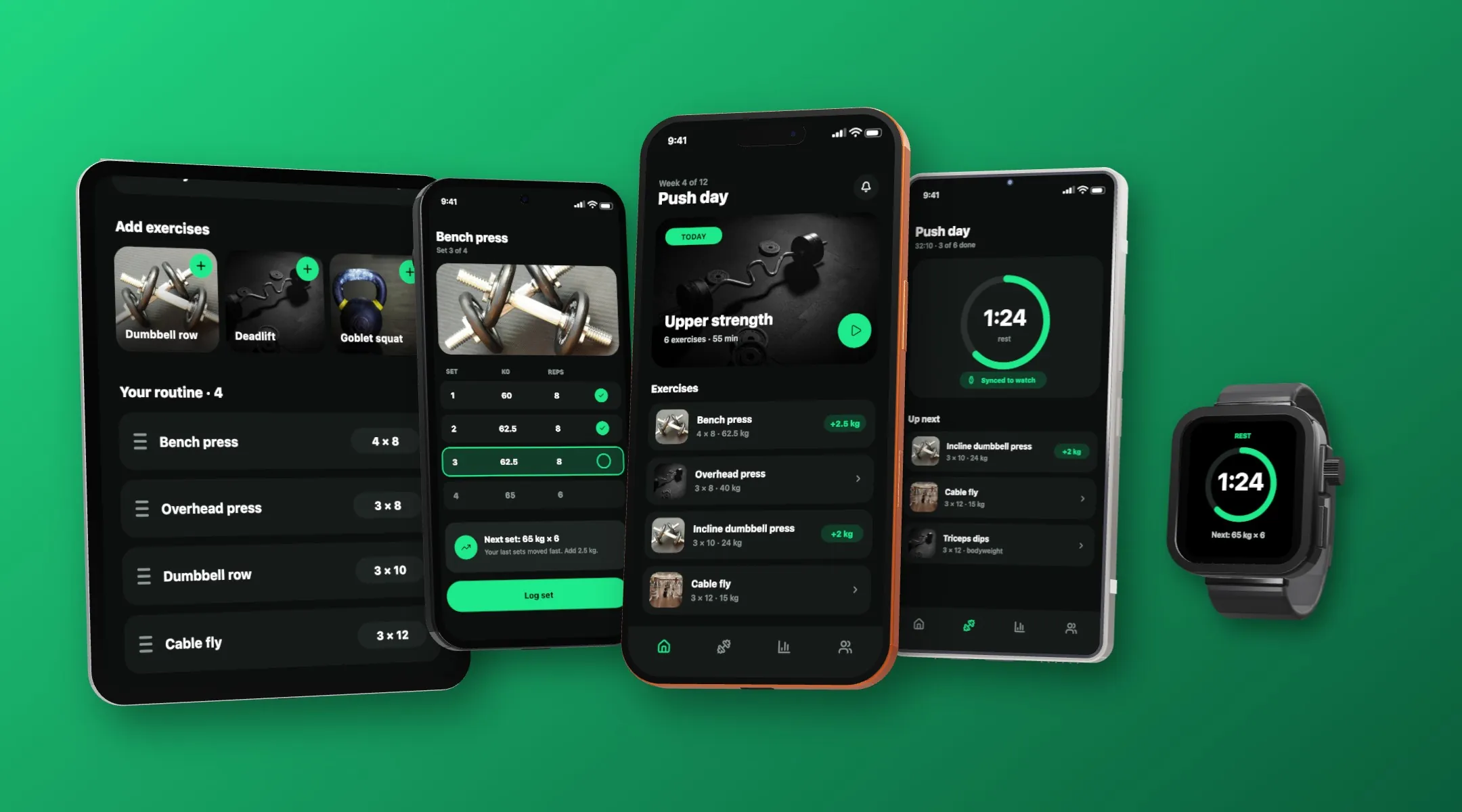
Build the scene at the size the store asks for and export every size in one click. The mockup is rendered into the screenshot, so the file you upload is the finished image.
Frequently asked questions
Is it a real 3D model or a flat frame?
A real 3D model. You can turn it to any angle and your screenshot stays mapped to the screen, which a flat PNG frame cannot do.
Which devices are included?
iPhone 15, 16 and 17 (including 17 Pro Max), iPad Air and iPad Pro, Apple Watch Ultra 3, Google Pixel 10 Pro and Pixel Watch 4, Samsung Galaxy S26, S26 Ultra, A57 and Tab S10+, and MacBook Pro M4, each in its real finishes.
Can I use my own app screenshot?
Yes. Drop it onto the device and it appears on the screen. Each language can have its own.
Can I make a Mac or browser mockup?
Yes. Use the MacBook Pro model, or a Safari or Chrome window for Mac and Windows, in light or dark.
Will the export be the right size for the App Store?
Yes. Choose the sizes in the export dialog and each screen is rendered at the store's exact pixel dimensions.