
Reference
App Store and Google Play screenshot sizes
Every screenshot size AppReleaseKit exports, with the exact pixel dimensions for each store. Design once, then export every size in one click.
App Store screenshot sizes
App Store Connect reads a screenshot's device from its pixel size, so the dimensions have to be exact. These are the iPhone and iPad sizes AppReleaseKit exports.
| Device | Size (px) | Orientation |
|---|---|---|
| iPhone 6.9" | 1290 × 2796 | Portrait |
| iPhone 6.5" | 1242 × 2688 | Portrait |
| iPad 13" | 2064 × 2752 | Portrait |
| iPad 12.9" | 2048 × 2732 | Portrait |
| App icon | 1024 × 1024 | Square |
Google Play screenshot sizes
Google Play takes phone, 7-inch tablet and 10-inch tablet screenshots, plus a feature graphic and an icon. AppReleaseKit exports all of them.
| Image | Size (px) | Orientation |
|---|---|---|
| Phone | 1080 × 1920 | Portrait |
| 7" tablet | 1200 × 1920 | Portrait |
| 10" tablet | 1800 × 2560 | Portrait |
| Feature graphic | 1024 × 500 | Landscape |
| App icon | 512 × 512 | Square |
Mac and Windows screenshot sizes
For desktop apps and landing-page hero images, AppReleaseKit also exports Mac and Windows sizes, in 16:10 and 16:9.
| Size | Pixels | Ratio |
|---|---|---|
| Mac | 2880 × 1800 | 16:10 |
| Mac (small) | 1280 × 800 | 16:10 |
| Windows | 1920 × 1080 | 16:9 |
| Windows (4K) | 3840 × 2160 | 16:9 |
Things that trip people up
- Neither store accepts transparency in an uploaded screenshot, so export on a solid background.
- A scene is only exported at the size it was built for. Rescaling a 1290 × 2796 screen into a smaller slot just stretches it, so build a screen at each size you need.
- Check App Store Connect and the Play Console for which sizes your app needs right now. The requirements change, and the sizes above are the ones AppReleaseKit can produce.
Export every size in one click
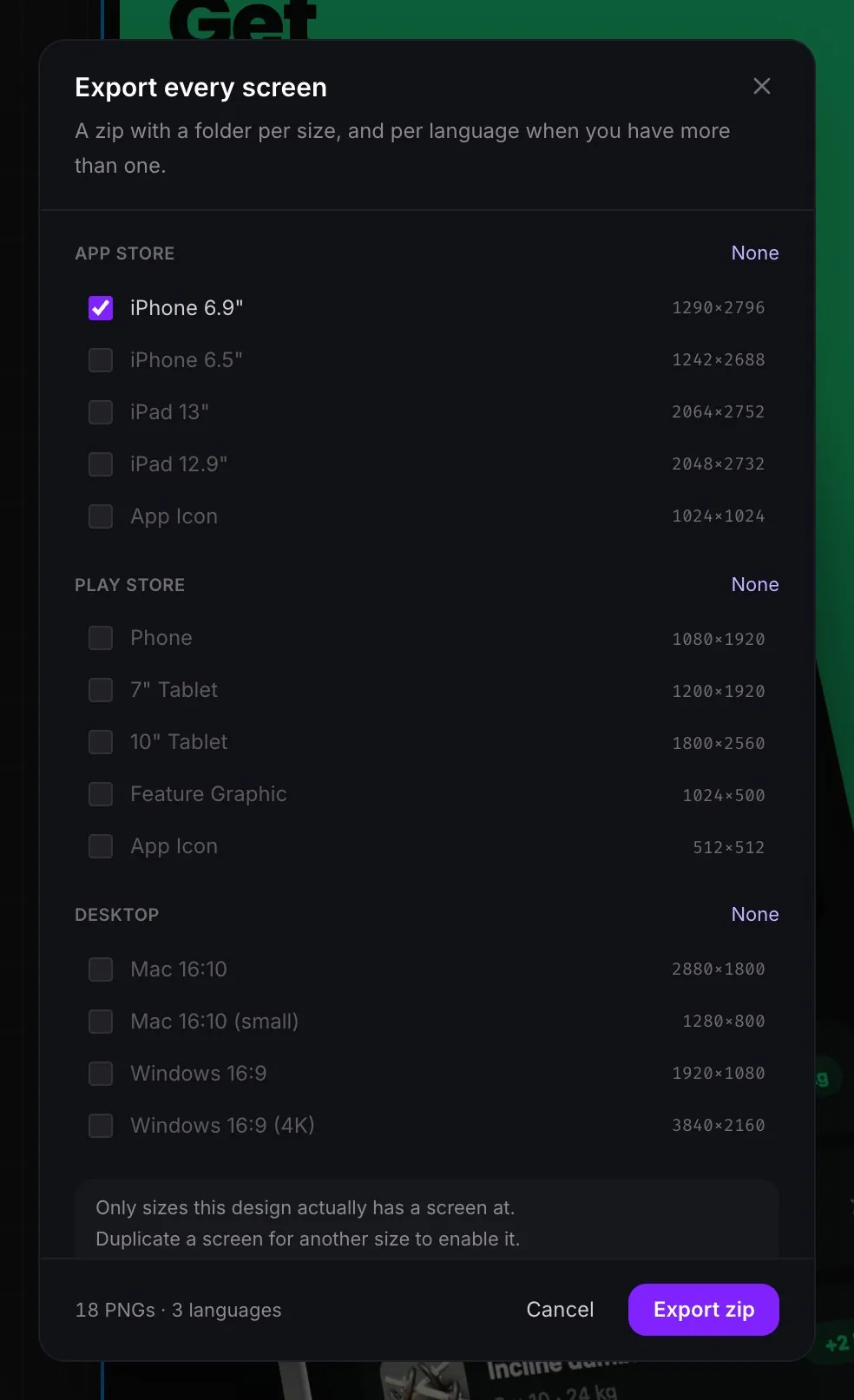
Pick the sizes you need, and AppReleaseKit renders each screen at the store's exact dimensions into a zip with a folder per size, and per language when your design has more than one.
Frequently asked questions
What size are App Store screenshots?
For the largest iPhones the size is 1290 × 2796 pixels (6.9") or 1242 × 2688 (6.5"). For iPad it is 2064 × 2752 (13") or 2048 × 2732 (12.9"). Check App Store Connect for the sets your app currently needs.
What size are Google Play screenshots?
Phone screenshots are 1080 × 1920 pixels. Tablet screenshots are 1200 × 1920 for 7" and 1800 × 2560 for 10". The feature graphic is 1024 × 500.
Can screenshots have a transparent background?
No. Neither the App Store nor Google Play accepts transparency in an uploaded screenshot, so export on a solid or gradient background.
Can I export all of these sizes at once?
Yes. Choose the sizes in the export dialog and AppReleaseKit writes a zip with every screen at every size you picked, named in order and ready to upload.